



My Jukebox
Sector
Music, MediaTech, Mobile App
My Role
Entire product design, UX Research, UX Design, UI Design, Prototyping
Tools
Figma, Figjam, Miro, Chat-GPT, Ux Pilot, Microsoft 360, Canava
Deliverables
A mobile app screens in Figma.
Project Name
My Jukebox
Project Duration
2 Weeks
Project owners
Media Clock
Project stakeholders
BA, PM, Developers, QA, Client
Overview
The Apple Music Player with DJ Mode is an iOS application designed to provide users with a next-level listening experience by merging standard music streaming with an interactive DJ-style mode. Built on Apple Music’s MusicKit framework, the app allows authenticated Apple Music users to search, stream, and manage their playlists while offering a simulated DJ environment for creative transitions between songs.
The app introduces two unique playback experiences:
Normal Mode: A standard player with full playback controls and real-time song data.
DJ Mode: A dynamic simulation that mimics crossfading, auto transitions, and custom playlists — creating a seamless, party-like experience directly from the user’s library.
Purpose of the SaaS Product
The purpose of this project was to enhance the way users interact with Apple Music by adding personalization, creativity, and control to their listening experience. The app bridges the gap between casual listening and professional-style music transitions without requiring advanced DJ skills.
Key goals included:
Integrating Apple Music APIs for authentication, subscription verification, and real-time playback.
Allowing users to search, discover, and manage playlists seamlessly.
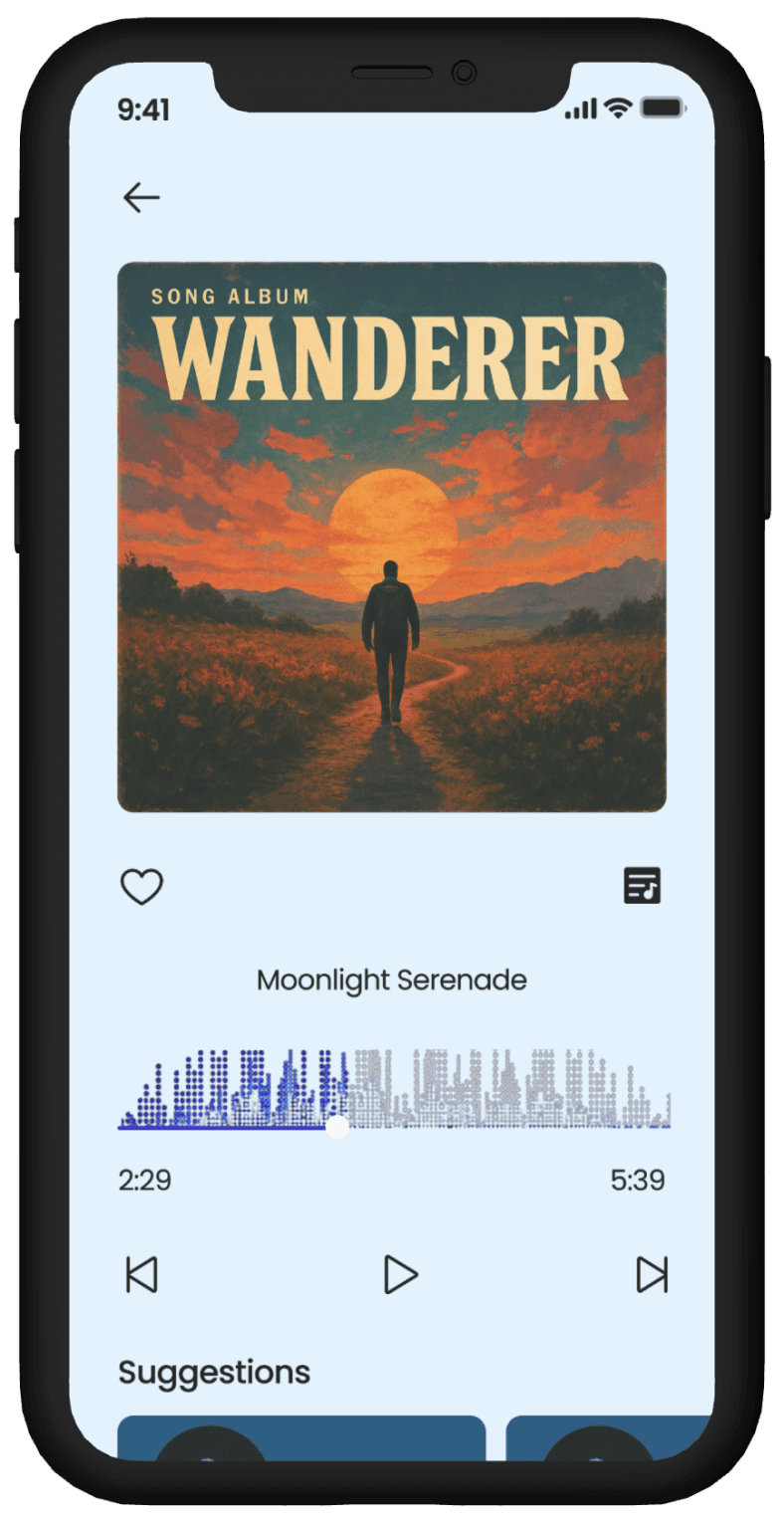
Creating a visually immersive player interface with mode toggles, animated progress bars, and live metadata updates.
Introducing a simulated DJ Mode with crossfade transitions, preview options, and automatic playlist queuing.
Providing a customizable user experience, including playback preferences, dark mode, and smart song suggestions.
Problem Statement
Most existing music players offer standard playback experiences but lack interactive or creative modes for users who want more than passive listening. Apple Music users, in particular, had no native feature that simulated DJ-like mixing or crossfading without external software.
The challenge was to design and develop an intuitive, visually engaging iOS app that enhances Apple Music’s core capabilities with an immersive DJ Mode — all while respecting Apple’s API limitations (like the inability to dual stream) and ensuring smooth transitions through smart simulation.
Design Process
Meeting With Stakeholders
Secondary Research
Primary Research
Building Personas
Solutions
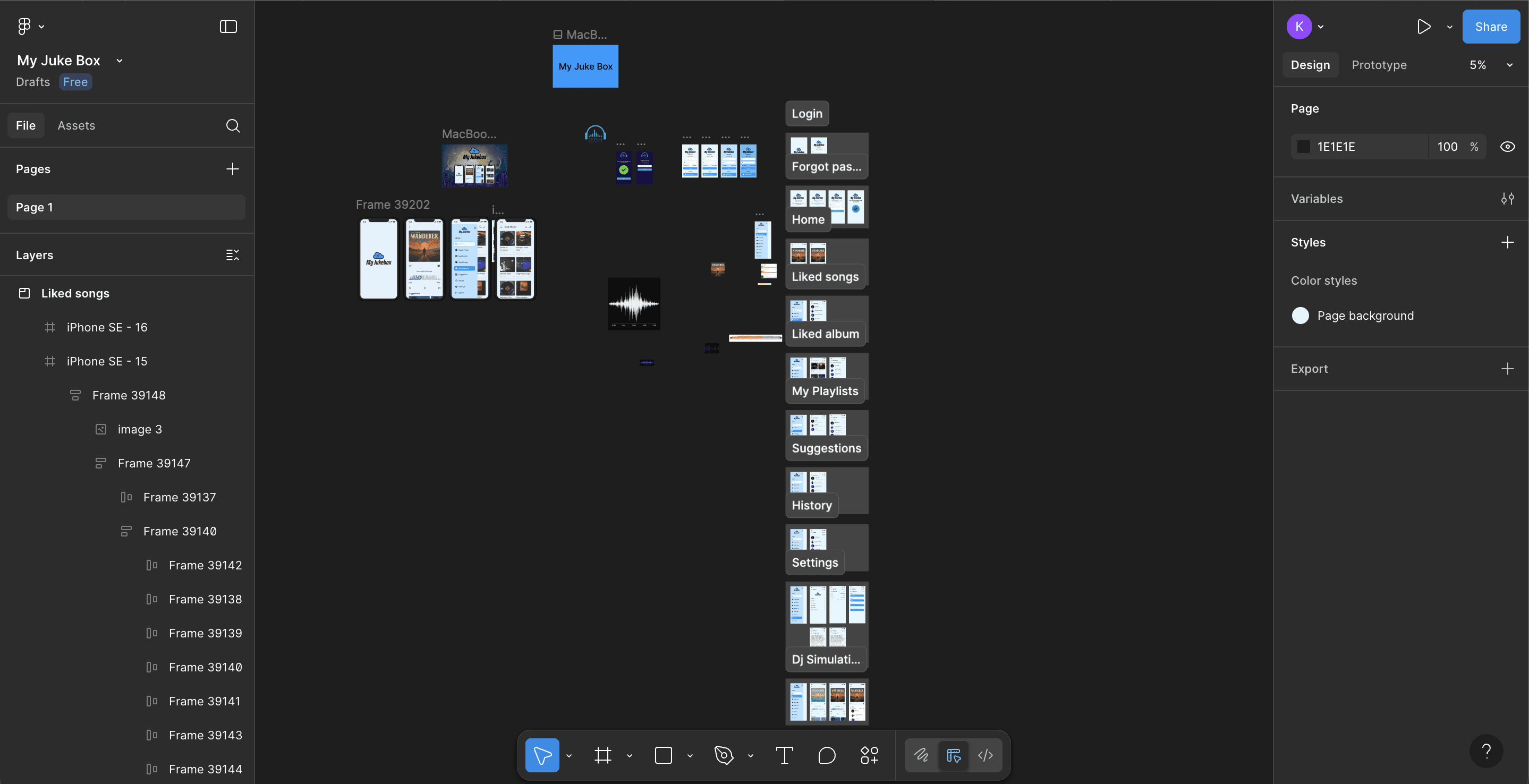
User Flow/ IA
Low Fidelity wireframes
Building Design System
High Fidelity Wireframes
Prototyping
User Testing
Conclusion
The Apple Music Player with DJ Mode project reimagined the standard music listening experience by merging the simplicity of Apple Music with the excitement of live DJ performance. By leveraging MusicKit APIs, the app enables seamless streaming, playlist management, and a dynamic simulated DJ Mode with smart crossfades and transitions.
This project successfully balanced technical constraints and creative innovation, offering users a powerful yet easy-to-use interface to personalize their music sessions. It not only showcased the potential of blending design with Apple’s ecosystem but also demonstrated how thoughtful UX can turn passive listening into an interactive and engaging experience.
If there was more time available…
If I had more time, I would focus on introducing AI-based song recommendations that adapt to user mood and tempo, enhancing the DJ Mode experience. I would also explore adding gesture-based controls and haptic feedback to make transitions feel more tactile and immersive. Additionally, developing a collaborative DJ Mode could allow users to co-curate playlists or transitions in real-time during shared listening sessions.
Learnings
Deepened my understanding of Apple’s MusicKit framework and the integration of streaming APIs within iOS environments.
Learned to design within technical constraints, particularly around Apple’s single-stream audio policy.
Enhanced my ability to create dual-experience interfaces — balancing functionality between standard playback and DJ simulation.
Improved visual storytelling through motion, transitions, and interaction design for immersive engagement.
Strengthened collaboration with developers to align UX goals with technical feasibility.
Challenges Solved
Created a simulated dual-playback experience despite Apple Music’s limitation on real-time dual streaming.
Designed an intuitive transition control system allowing users to crossfade and queue tracks seamlessly.
Simplified playlist management and discovery using Apple Music’s API-driven search and curation tools.
Developed a visually rich player interface that balances aesthetics with clarity and performance.
Improved overall user engagement by turning a standard music app into an interactive, creative space.
Case Studies

" height="26.8125px" id="X0_5DBdh7" transform="translate(4.125 1.563)" width="24.75px"/></svg>)
Let's connect
Feel free to reach out for collaborations or just to say hello! 🤘
Email:
Kunalshankar77@gmail.com
Phone:
+91-7980072892
Follow:
" height="24px" id="AEnhlwlv0" transform="translate(4.493 4)" width="23.99999px"/></svg>)
" height="6.962585221328528px" id="XAclm3fFB" transform="translate(10.299 12.484)" width="4.245814666434837px"/><path d="M 19.319 12.545 C 19.251 12.385 19.148 12.242 19.017 12.127 C 18.886 12.012 18.732 11.928 18.564 11.881 C 18.229 11.79 17.879 11.77 17.536 11.824 C 17.193 11.878 16.865 12.005 16.575 12.195 C 16.285 12.487 16.098 12.866 16.041 13.273 C 16.041 13.416 16.041 13.443 16.211 13.443 L 19.371 13.443 C 19.527 13.443 19.527 13.443 19.513 13.247 C 19.498 13.002 19.433 12.763 19.319 12.545 Z M 19.319 12.545 C 19.251 12.385 19.146 12.242 19.016 12.127 C 18.885 12.012 18.732 11.928 18.564 11.881 C 18.229 11.79 17.879 11.77 17.536 11.824 C 17.193 11.878 16.865 12.005 16.575 12.195 C 16.285 12.487 16.097 12.866 16.04 13.273 C 16.04 13.416 16.04 13.443 16.209 13.443 L 19.371 13.443 C 19.527 13.443 19.527 13.443 19.513 13.247 C 19.498 13.002 19.43 12.763 19.316 12.545 M 20.8 0 L 5.2 0 C 3.821 0 2.498 0.548 1.523 1.523 C 0.548 2.498 0 3.821 0 5.2 L 0 20.8 C 0 22.179 0.548 23.502 1.523 24.477 C 2.498 25.452 3.821 26 5.2 26 L 20.8 26 C 22.179 26 23.502 25.452 24.477 24.477 C 25.452 23.502 26 22.179 26 20.8 L 26 5.2 C 26 3.821 25.452 2.498 24.477 1.523 C 23.502 0.548 22.179 0 20.8 0 Z M 15.704 8.28 C 15.704 8.177 15.704 8.137 15.821 8.137 L 20.033 8.137 L 20.033 9.231 C 20.033 9.231 20.037 9.308 19.968 9.308 L 15.887 9.308 C 15.704 9.308 15.704 9.308 15.704 9.127 Z M 11.804 17.836 C 10.204 18.707 7.515 18.356 4.329 18.356 L 4.329 7.579 L 9.412 7.579 C 10.712 7.579 12.259 7.904 12.675 9.281 C 12.891 9.883 12.878 10.543 12.638 11.135 C 12.398 11.728 11.948 12.211 11.375 12.493 C 11.903 12.689 12.365 13.032 12.705 13.482 C 13.045 13.932 13.249 14.469 13.292 15.032 C 13.336 15.594 13.218 16.156 12.952 16.653 C 12.686 17.15 12.283 17.561 11.791 17.836 Z M 21.489 14.768 L 16.289 14.768 C 16.147 14.768 16.016 14.845 16.041 15.028 C 16.197 15.795 16.548 16.601 17.343 16.719 C 17.762 16.844 18.212 16.824 18.619 16.664 C 19.026 16.504 19.369 16.212 19.591 15.835 C 19.591 15.835 19.656 15.756 19.695 15.756 L 21.385 15.756 C 21.385 15.756 21.489 15.756 21.463 15.847 C 21.284 16.352 21.021 16.822 20.683 17.237 C 20.231 17.669 19.686 17.991 19.089 18.177 C 18.493 18.364 17.862 18.411 17.244 18.314 C 16.627 18.218 16.04 17.98 15.53 17.62 C 15.019 17.259 14.598 16.786 14.3 16.237 C 14.117 15.871 14.002 15.474 13.963 15.067 C 13.731 14.042 13.908 12.968 14.457 12.072 C 15.005 11.176 15.882 10.53 16.9 10.271 C 19.851 9.633 21.723 11.661 21.723 14.521 C 21.727 14.555 21.724 14.589 21.713 14.621 C 21.702 14.653 21.684 14.682 21.66 14.705 C 21.636 14.729 21.607 14.747 21.575 14.758 C 21.543 14.769 21.509 14.772 21.476 14.768 Z M 18.577 11.881 C 18.243 11.789 17.892 11.769 17.549 11.825 C 17.207 11.879 16.9 11.944 16.588 12.195 C 16.276 12.444 16.111 12.865 16.055 13.273 C 16.055 13.416 16.055 13.443 16.224 13.443 L 19.371 13.443 C 19.527 13.443 19.527 13.443 19.513 13.247 C 19.498 13.002 19.433 12.763 19.319 12.545 C 19.251 12.385 19.148 12.242 19.017 12.127 C 18.886 12.012 18.732 11.928 18.564 11.881 Z" fill="rgb(0, 0, 0)" height="25.99997px" id="tZJP9vVhA" transform="translate(3.827 3.332)" width="26.000049999999998px"/></svg>)
" height="24.5528675px" id="EQkLbcg8J" transform="translate(4.237 3.723)" width="24.511977499999997px"/></svg>)

" height="26.0206814479928px" id="LnFdkBMBU" transform="translate(3.16 2.668)" width="26.666619999999998px"/></svg>)